

The simplest grocery list app for more efficient shopping
Start creating and sharing shopping lists with friends and family.


What Experts have to say

The Out of Milk app is straight-forward and offers three main list functions: shopping, pantry and to do.

Grocery list apps that make shopping, syncyng lists simple.

How to simplify your grocery shopping on Android.
Shopping List
Easily create and manage your grocery lists with friends and family.
- Share Your Grocery List
- Add Items from History
- Barcode Scanner

Track Your Shopping
The Cart feature helps you keep track of what you’ve purchased, what you still need to pick up, and add them all back for next time!


Grocery Shopping List Ideas
Use our pre-made grocery list templates for all occasions.
-
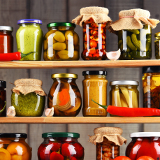
Pantry Organization Ideas
Organize and manage your pantry easily
-

Barcode Scanning Shopping
How to Grocery Shop With A Barcode Scanner
-

Household Shopping Checklist
Checklist for your kitchen, bathroom, and laundry
Fully Customizable Shopping Lists
Organize and create lists according to what works best for you. Create a shopping list for every store and occasion.

Frequently Asked Questions
-
What is Out of Milk?
Out of Milk is a versatile and user-friendly shopping list app available for iOS and Android devices designed to streamline your shopping experience. It assists you in creating, managing, and organizing your shopping lists efficiently.
-
How do I get started with Out of Milk?
Simply download the Out of Milk app from your device's app store, install it, and create an account. Once logged in, you can immediately start creating and managing your shopping lists. You can create separate lists for your favorite grocery store, Target, Costco, or any other stores.
-
Can I use Out of Milk on multiple devices?
Yes, Out of Milk supports syncing across multiple devices. Ensure that you are logged in with the same account on all devices to seamlessly access your shopping lists.
-
What features does Out of Milk offer?
Out of Milk provides features such as creating multiple shared shopping lists, categorizing items, setting priorities, and sharing lists with family or friends. It also includes a pantry inventory feature to track items at home. View a full list of features.
-
How do I add items to my shopping list?
You can manually add items to your list or use the barcode scanner to quickly add products. Out of Milk also allows you to customize and organize your items for a personalized shopping experience.
-
Why is Out of Milk the best grocery shopping list app?
Out of Milk distinguishes itself from other grocery list apps by offering a completely free experience. It simplifies the process of creating grocery lists by using your shopping history to easily add necessary items. You can effortlessly share these lists with your family, friends, and roommates, and even include photos, details, and quantities for each item. Adding photos ensures that you buy the exact item you need when you're unsure about which one to purchase.
-
Is Out of Milk available for both Android and iOS devices?
Yes, Out of Milk is available for both Android and iOS platforms. You can download it from the Google Play Store for Android or the Apple App Store for iOS.
-
Can I share my shopping list with others?
Absolutely! Out of Milk lets you share your shopping lists with family members or friends, making collaborative shopping easy. Simply invite them via email, and they can view and edit the shared shopping list in real-time.
-
Does Out of Milk have a web version?
Yes, Out of Milk offers a web version, allowing you to access and manage your shopping lists from your computer. Visit outofmilk.com and log in with your account credentials.
-
How do I contact Out of Milk support?
If you encounter any issues or have questions, you can reach out to our support team through the app's settings or by visiting our support page on the website.
-
Is Out of Milk free to use?
Out of Milk is a free shopping list app. You can create grocery shopping lists, lists for your favorite big box stores, and special events.
- What is Out of Milk?
- How do I get started with Out of Milk?
- Can I use Out of Milk on multiple devices?
- What features does Out of Milk offer?
- How do I add items to my shopping list?
- Why is Out of Milk the best grocery shopping list app?
- Is Out of Milk available for both Android and iOS devices?
- Can I share my shopping list with others?
- Does Out of Milk have a web version?
- How do I contact Out of Milk support?
- Is Out of Milk free to use?